
.jpeg)
In 2026, knowing how to sign PDFs online is an essential skill for professionals, freelancers, and business owners. Gone are the days of printing, signing, scanning, and emailing documents back. Today, a reliable eSignature platform allows you to complete contracts in minutes using secure digital signatures.
This beginner-friendly guide walks you through the exact steps to sign documents online quickly and safely.
What Is Online PDF Signing?
Online PDF signing means using an online contract signing tool to apply your electronic signature to a digital document. Instead of pen and paper, you use a mouse, touchscreen, or uploaded signature image.
With cloud document signing, your files are securely stored and accessible anytime.
Step-by-Step: How to Sign PDFs Online
Step 1: Choose a Trusted eSign Platform
Select the best eSign software that offers encryption, audit trails, and electronic signature compliance.
Step 2: Upload Your PDF
Log into the platform and upload your document. Most tools support drag-and-drop functionality.
Step 3: Add Signature Fields
Place signature boxes where required. You can also add date fields, initials, and text boxes.
Step 4: Create Your Signature
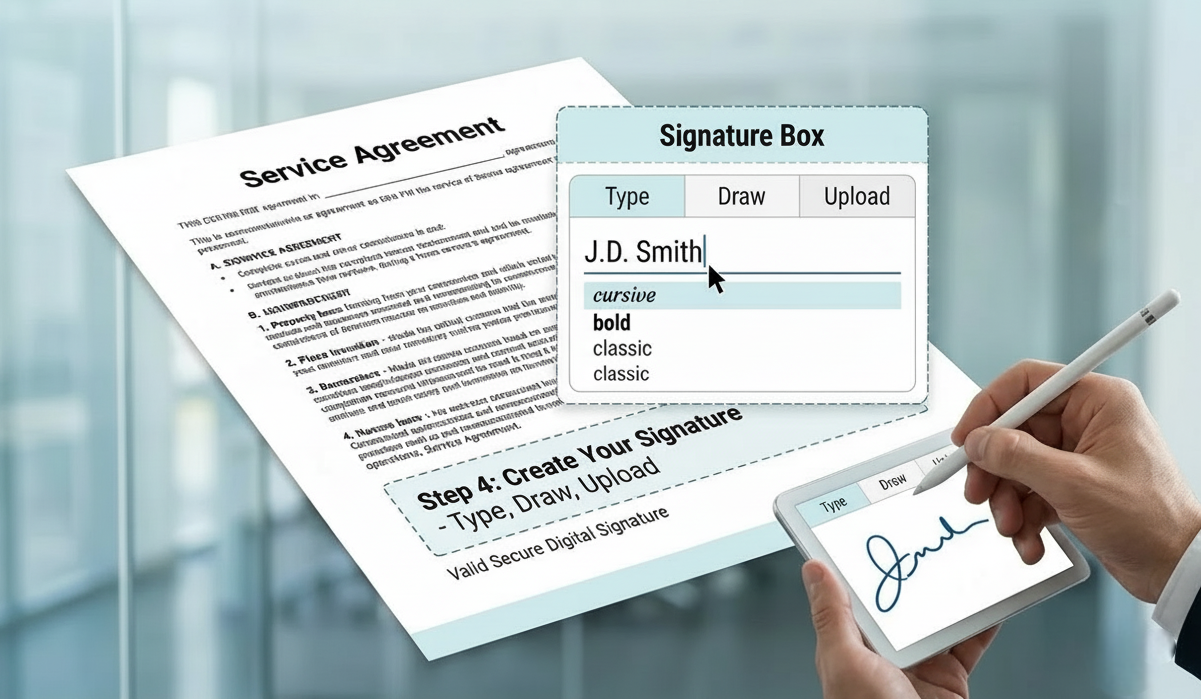
You can:
- Draw your signature
- Type and select a style
- Upload a scanned signature
These are all valid forms of secure digital signatures.
Step 5: Send or Finalize
If multiple people need to sign, use multi user signature features to assign signing order. The system handles the electronic contract workflow automatically.
Fast PDF eSigning Tips
To speed up your process, follow these fast PDF eSigning tips:
- Use customizable signing templates for repeated documents
- Enable reminders for faster approvals
- Double-check fields before sending
- Use a mobile eSigning platform to sign anywhere
Benefits of Signing PDFs Online
Using digital signing tools provides:
- Faster approvals
- Better security
- Reduced paperwork
- Secure online document storage
- Improved workflow efficiency tools
With remote signing solutions, you can sign agreements from anywhere in the world.
Conclusion
Learning how to sign PDFs online is simple and powerful. With the right eSignature platform, you can sign agreements electronically, protect sensitive information, and complete contracts in minutes. Digital signing is no longer optional - it’s the modern standard for business communication.

Try GetEsigns free for 7 days
Sign your first document in a minute.


Boost Your Knowledge with More Reads
Explore a wide range of informative blog articles designed to expand your understanding and keep you updated with the latest trends, tips, and insights.